
65W USB-C Charging: Why Wattage Actually Matters for School Devices
You’ve invested in a charging solution. The devices go in at the end of the day, come out in the morning, and somehow half of them are still at 40%. Nobody flagged a problem. The chargers are all plugged in. Everything looks fine right up until a class starts and the devices don’t last the period.
Wattage is usually the culprit, and it’s the spec most procurement checklists skip entirely.
Most decisions focus on the physical features, like floor space, device count, and whether the unit locks. Those are valid things to look for.
However, these hardly tell you whether your devices will actually be ready when your people need them. Wattage does.
Until that variable gets the attention it deserves, the same problem keeps showing up in the same places.
Why Wattage Is the Variable That Actually Moves the Needle
Procurement checklists tend to focus on what’s visible and measurable at a glance:
- How many devices fit
- How much room the unit takes up
- Whether it secures
Those details matter, but none of them answer the question that actually drives operational decisions: whether the devices will be fully charged and ready to use when your people reach for them.
Not All USB-C Is the Same
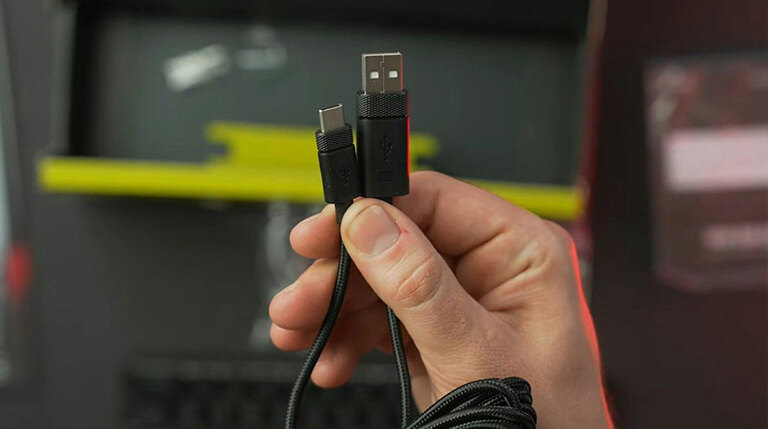
USB-C is a connector standard, not a power standard. Two chargers can share the same port type and deliver very different amounts of power.
For example, a 5W adapter and a 65W adapter both use USB-C. One is able to top off a phone, while the other charges a Chromebook or laptop fast enough to matter.
This distinction gets lost in purchasing decisions more often than it should. When a facility buys a charging solution based on port count and price point alone, the wattage per port often goes unexamined until the complaints start.
If your devices spend six to eight hours on a charger and still don’t reach full capacity, the adapter wattage is the first place to investigate.
What 65W Actually Means for Your Fleet
Most modern school devices charge at or near their maximum rated speed at 65W per port. This wattage is ideal, covering Chromebooks, iPads, Windows laptops, and Android tablets.
Below that threshold, charging slows. Far below it, your devices may draw power faster than the adapter can deliver, particularly during active use.
At 65W per port:
- Chromebooks typically reach full charge within two to three hours.
- Laptops can maintain charge even during active use rather than slowly draining despite being plugged in.
- Tablets and phones hit full capacity well before the next shift or class period starts.
All these results mean your charging window is maximized to, and the risk of sudden discharge is minimal.
Where Lower Wattage Creates Operational Risk
Underpowered charging setups create a compounding problem. Devices that don’t fully charge overnight send staff into their shift with low-battery alerts already on screen.
In K-12, that disrupts a lesson.
In healthcare or logistics, it creates a workflow gap that lands on whoever is managing the floor.
The scale of the problem grows with the size of your fleet.
Ten underpowered devices in a single room is a nuisance. A hundred across a facility is a daily operational drag that’s hard to trace back to the original cause. The right wattage per port is what prevents it.
The Case for a Dedicated USB-C Charging Tower
Scattered wall adapters create a management problem as much as a power problem. Variable wattage ratings, inconsistent adapter condition, and no reliable way to audit what’s actually working all contribute to device readiness staying unpredictable even when chargers are technically available.
Centralizing your charging removes that uncertainty entirely.
Consolidation Without Compromise
A USB-C charging tower standardizes power delivery across the entire fleet by putting multiple high-wattage ports in one managed location.
When every device charges at the same rate, readiness becomes predictable. You stop guessing which units are full and start trusting the process, which changes how confidently you can deploy devices at scale.
Placement Flexibility
Cord length is a detail that only becomes obvious after deployment. A charging tower with USB-C built around a short power cord limits where you can position it, which limits how accessible it is to the people using it.
A 20 ft cord gives you the flexibility to place the unit between workstations or desks without running cables across walkways or forcing devices to stretch to reach a port. With that kind of flexible placement, devices get charged not just at the wattage you want them to be charged in, but where you need them charged.
Ready When You Are
Setup time is a real cost, especially across multi-room or multi-facility rollouts. Every hour spent on assembly and configuration before a unit is usable is time your team isn’t spending on anything else.
Pre-wired and fully assembled units arrive ready to deploy with no configuration, no cable routing to sort out, and no gap between delivery and use.
Wattage — The Spec You Should’t Skip
Yes, charging capacity and footprint are key considerations when you’re shopping around for charging solutions. However, if you want a USB-C charging tower that provides ample charging coverage for your device fleet, one metric matters: wattage.
There are many charging solutions on the market, each with its charging capacity. From what we’ve seen across the industries we serve, 65 watts is the gold standard.
65W per port gives your fleet consistent, predictable power delivery. When devices charge fully every cycle, they stop being the reason operations slow down.
That wattage is the standard worth holding any charging solution to.
Do you need a USB-C charging tower that delivers? Reach out for a free quote, and find the right USB-C tower for your facility or school.
