
Why USB-C Charging Carts Are Becoming the New Standard in Modern Classrooms
How many devices does your classroom rely on each day? Between Chromebooks, tablets, and laptops, your K-12 school may now manage dozens of electronics per teacher (and student).
Keeping those devices charged used to mean juggling different cables, hunting for available outlets, and dealing with tangled cords cluttering your learning space. It’s a good thing USB-C charging carts for schools are changing that.
As more manufacturers choose USB-C as their standard port, your school may face a choice. Either it continues managing multiple charging systems for school device management, or invests in infrastructure built for the devices students actually use.
Shift toward USB-C charging carts, and a whole new world of smart and versatile classroom charging solutions opens up for you.
What Is a USB-C Charging Cart for Schools?
You can think of a USB-C charging cart as a mobile storage unit. It’s designed to charge multiple devices through USB-C ports.
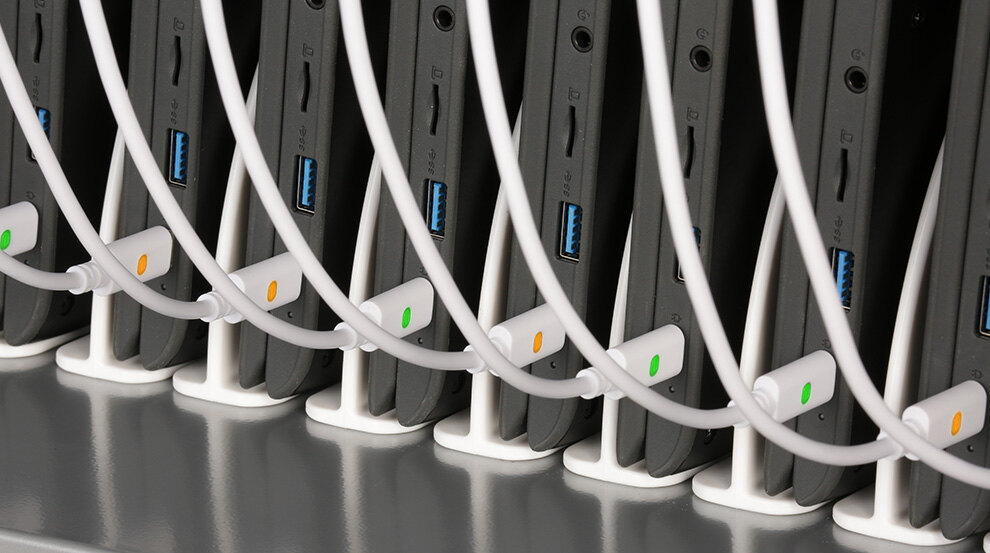
Unlike older solutions that required separate power adapters for each laptop or tablet, these carts use built-in USB-C cables to deliver power directly to your devices. Where traditional charging systems relied on USB-A ports or proprietary charging cables from individual manufacturers, USB-C is a universal standard that works across brands and device types.
There are numerous reasons schools prefer carts over wall chargers. Right off the bat, moving devices to dedicated charging locations eliminates outlet scarcity in classrooms.
Of course, there’s also locking storage that keeps expensive electronics secure overnight. If you need an example, check out a USB charging cart for schools like the CUBE Cart® Slim Pro Plus.
It can charge 30 to 42 devices simultaneously in a compact footprint, freeing up desk and floor space for instruction.
Why Schools Are Switching to USB-C Charging Carts
There are numerous reasons for why many K-12 environments are making the switch. Here are the most important.
One Cable for Every Device
USB-C works with Chromebooks from any manufacturer, iPads, Windows laptops, and Android tablets. Your IT team no longer needs to stock different charging cables for different classroom sets or track which adapter belongs to which device model.
Faster Power Delivery
USB-C delivers up to 100 watts of power compared to the 12 watts available through older USB-A connections. As a result, devices can be fully charged during lunch periods rather than requiring overnight charging.
Simpler IT Management
Classroom charging solutions with USB-C eliminate cable adapter inventories and reduce troubleshooting time. When every device uses the same charging standard, your technology staff spends less time fixing charging problems.
Built for Tomorrow’s Devices
Apple, Google, Dell, and HP have all committed to USB-C as their primary charging port. When you purchase USB-C classroom tech, you’re investing in infrastructure you won’t need to replace within the next three to five years.
Device Cart Charging Benefits for Educators and School Administrators
Choose a USB-C charging cart for schools, and you’ll reduce friction in workflows that involve dozens of devices moving between classrooms, storage areas, and student hands.
Fewer Devices Out of Service
Dead batteries interrupt lessons and force students to share devices or abandon digital assignments. But with a cart like the CUBE Cart® Slim Pro Plus, your students arrive to find their assigned Chromebook or tablet already powered and waiting.
Organized Classrooms
Cables stay tucked inside the cart rather than snaking across desks and floors. Luckily, the mobile design of USB-C classroom carts allows you to position devices where instruction happens instead of where outlets exist.
Safer Learning Spaces
A USB-C charging cart for schools eliminates loose power cables and reduces tripping hazards in crowded classrooms. Its fire-safe construction also protects against the electrical issues that sometimes occur when dozens of lithium batteries charge simultaneously.
Growing With Your Needs
When you’re adding more devices to your school, a USB-C cart stops you from having to rewire classrooms or install new electrical infrastructure. Just roll in another USB-C charging cart when enrollment increases or when grant funding arrives for additional technology purchases.
How the CUBE Cart Slim Pro Plus Fits the USB-C Classroom Trend
The CUBE Cart® Slim Pro Plus was designed around the realities of USB-C classroom tech.
First, its pre-wired USB-C to USB-C cables eliminate the power adapters that used to clutter cart interiors and create cable management headaches. As for charging, its Opti-Sense™ smart charging automatically adjusts power distribution across all connected devices. This way, a cart holding both 11-inch Chromebooks and 15.6-inch laptops charges everything efficiently without manual configuration.
Capacity is another selling point. The cart holds 30, 36, or 42 devices in a footprint smaller than previous generations. Industrial-grade casters and a three-point locking system allow you or your teachers to wheel it to wherever instruction happens rather than routing students to fixed charging locations.
How To Choose the Right USB-C Charging Cart for Your School
Not all USB-C charging carts support classrooms in the same way. Before committing, it helps to evaluate how the cart fits your devices, spaces, and daily routines.
- Device count and size: Start with how many devices you need to charge at once and their physical dimensions. Carts should be able to accommodate both current devices and near-term additions without overcrowding.
- Cable management: Built-in USB-C cables reduce clutter and prevent cable loss. Look for designs that keep cords separated and easy to access for students.
- Ventilation and electrical safety: Proper airflow and smart power distribution help protect devices during simultaneous charging and reduce heat-related issues.
- Security features: Locking doors and reinforced construction protect high-value equipment during storage and transport.
- Mobility and footprint: Slim profiles and smooth casters make it easier to move carts between classrooms and store them without disrupting instruction.
The Future of Classroom Charging
As classrooms depend on more shared devices, you need classroom charging solutions that work quietly in the background. USB-C charging carts support that goal by reducing cable confusion, speeding up charge times, and keeping devices ready for the next class.
Are you thinking of making the USB-C switch? Contact Bretford for a free quote on the CUBE Cart Slim Pro Plus and other USB-C charging carts.
